Once you have created at least one service, you can add the TailDesk booking form to a page on your website. The booking form lets visitors choose a service, select their booking dates and submit a booking request.
Create or open your booking page
Log in to your WordPress dashboard.
Go to Pages.
Create a new page, or open the page where you want customers to make a booking.
Add the TailDesk booking form
In the WordPress editor, place your cursor where the booking form should appear.
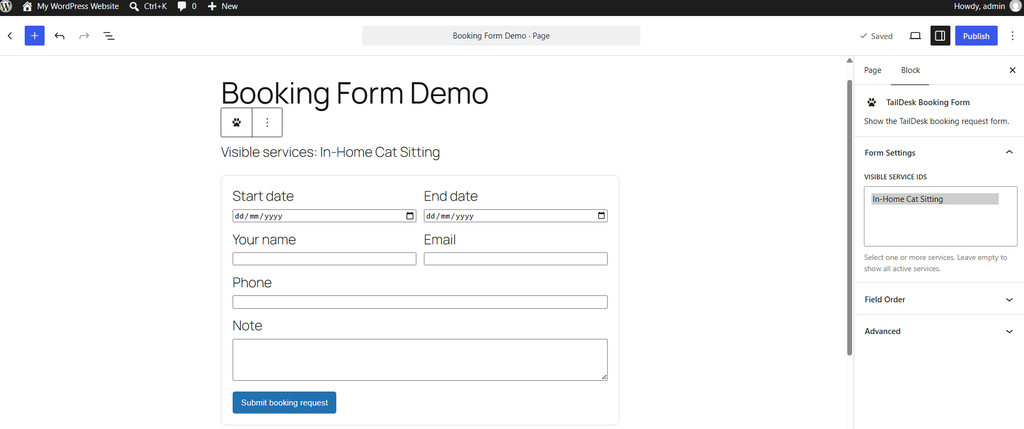
Add the TailDesk booking form using the TailDesk block or the booking-form shortcode available in your TailDesk setup.
If you want the booking form to show only specific service(s), choose in the right sidebar the services you want to make available on this page.
Save or publish the page.
Check the form on the front end
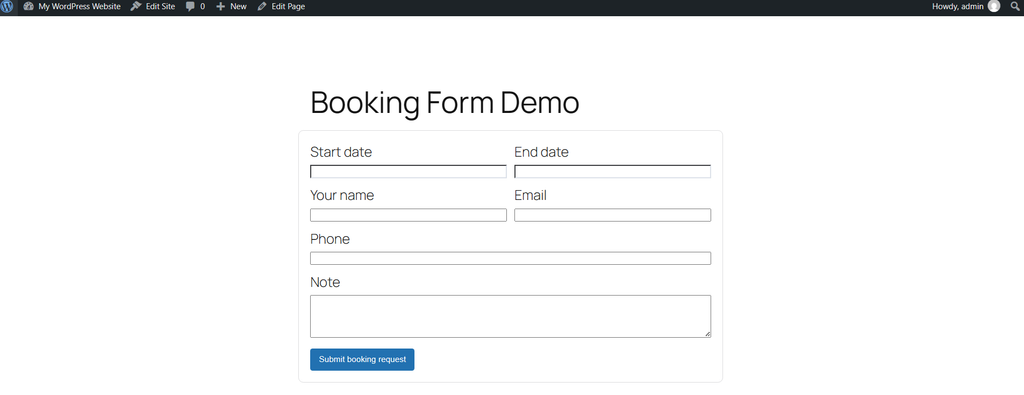
Open the page as a visitor and check that the booking form loads correctly. Confirm that the expected services are shown and that you can select booking dates.
The exact fields shown in the form depend on the selected service and its configuration. Custom booking fields and service-specific options can be configured separately.
Before accepting real bookings
Before sending customers to the page, submit a test booking yourself. This helps you verify the selected service, dates, price calculation and confirmation flow.